
The key points
- Put power where the desk actually goes, ideally at desk height, and enough of it that you aren't relying on a chain of power boards.
- A wired data point at the desk gives video calls a steadier connection than Wi-Fi from the other end of the house.
- Light the desk from the side, not from behind the screen or behind your head, and use dimmable light for evenings.
- A surge power board protects the computer and modem; a switchboard surge diverter covers the whole house.
- A small office heats up fast with screens running, so plan heating and cooling rather than relying on a portable heater.
Power at the desk
Start with the furniture. Mark where the desk, printer, filing and any second screen will sit, then count the plugs: computer or laptop dock, monitors, desk lamp, phone charger, speakers, printer, and the modem or a network switch if it lives in this room. Most home offices need more than the single double point a spare bedroom came with.
A double point either side of the desk, or a pair just above desk height, saves crawling underneath to plug in. USB-C outlets suit phones, watches and earbuds, and some can charge a laptop, but only if the USB-C port is rated at or above the laptop's own charger.
Power boards are fine for low-draw electronics but aren't a substitute for outlets. Energy Safe Victoria recommends a power board with a built-in safety device rather than piggybacking adaptors. Don't plug one power board into another, and keep heaters and kettles off them.
- Desk position and the side the cables will come from.
- How many devices need power at once.
- Where the printer and modem will sit.
- The USB-C rating any laptop you want to charge needs.
A wired connection for calls and uploads
Wi-Fi weakens with every wall and shares the air with every other device in the house. A data cable gives the work computer its own steady connection, which matters most for video calls, large uploads and remote desktop work. If the office is at the far end of the house from the router, the difference is very noticeable.
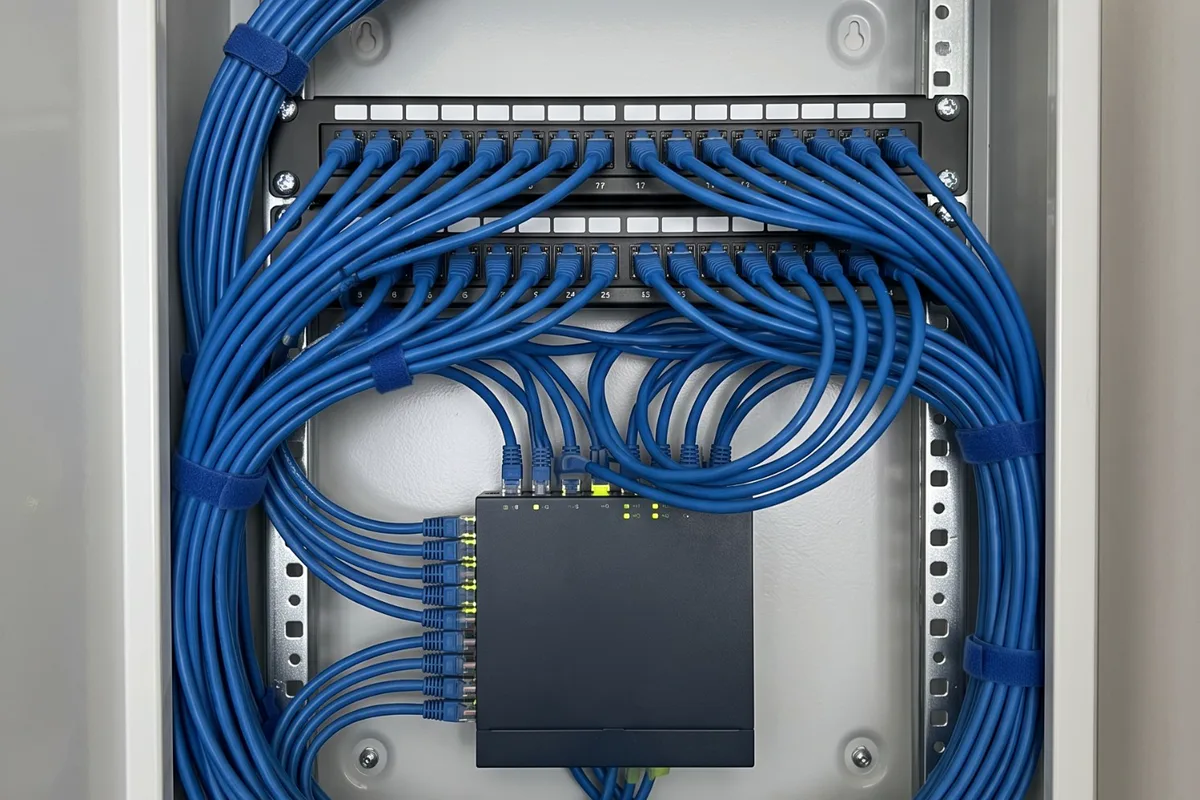
The usual fix is a Cat6 data point at the desk, run back to a central point near the router. If the router sits in a front room beside the NBN box, one cable from there to a central spot lets the router move to where it covers the house better, with the office cabled directly.
On a laptop, a dock with a network port turns the data point into a one-cable connection. Keep the data point beside the desk power so the dock, screens and network meet in one place.
Does a home office need its own circuit?
Most don't. Computers, screens and lamps draw little power. The trouble comes when a heater, kettle or air conditioner shares the office's circuit, so the breaker trips mid-call and the computer goes off with it.
A separate circuit makes sense when the office has heavy loads of its own, such as a room heater, a large laser printer or a workshop next door, or when it shares a circuit with the laundry or kitchen. It also helps when a fault elsewhere tripping the computer would cost real money.
To see what shares the office's circuit now, check the switchboard labels or note what else goes off when that breaker trips, then have an electrician confirm it. Older homes often have bedrooms and living areas on one long power circuit.
Lighting that works with screens
Screens and lights fight when they face each other. A window or bright light behind the screen makes you squint, and a light directly behind your head reflects in it. The comfortable arrangement puts the main light to the side of the desk, with any window beside you rather than in front or behind.
For general light, a couple of well-placed downlights or a diffused ceiling fitting are easier on the eyes than one bright downlight over the chair. Add a desk lamp for paperwork, on the side opposite your writing hand. A dimmer or separately switched groups let you bring the brightness down for evening work, as long as the LED fittings and dimmer suit each other.
For video calls, soft light in front of your face does more than any gadget. Light bounced off the wall behind the screen, or a lamp beside the monitor, is usually enough.
Protecting the computer and modem
Surges are brief voltage spikes from lightning near the network, switching on the grid or supply returning after an outage. Electronics are what get hurt, and a home office is full of them. Energy Safe Victoria describes a surge diverter as capturing voltage spikes in the wiring that would otherwise pass into equipment.
There are two levels. A switchboard surge diverter covers every circuit in the house, including hard-wired gear like air conditioners. A surge power board at the desk protects what's plugged into it and catches what's left of a spike. Choose one with an indicator that shows the protection still works.
Neither protects people: Energy Safe Victoria says surge diverters don't act as safety switches. And neither keeps you online in a blackout. If dropping off a call isn't an option, a small uninterruptible power supply for the modem and computer is worth considering.
Heating and cooling a small room
A small office with a computer, two screens and a person in it warms up quickly, especially a west-facing room on a hot northerly afternoon. In winter the same room can be the coldest in the house if it sits at the end of a hallway away from the main heater.
A small reverse cycle split system is often the neatest answer for a room used all day. The Australian Government's Energy Rating site says reverse cycle units move 3 to 5 units of heat for each unit of electricity, where a standard electric heater produces about 1. That gap suits a room heated for a working day.
A split system usually needs its own circuit and a sensible outdoor unit spot, so plan it with the office's other electrical work. The Victorian Government suggests 18 to 20 °C for heating and 24 to 26 °C for cooling, and says each degree beyond that adds around 10% to running costs.
If you rent, or want a clear brief
Fixed outlets, data points and lights belong to the property, so renters need the owner's or agent's agreement before changes. A short written request explaining where you'd like a double point and a data point, and why, is more likely to get a yes.
Without changes, a quality power board with a surge indicator, a lamp to the side of the desk, a mesh Wi-Fi unit near the office and tidy cable management all help. Avoid running extension leads under rugs or through doorways.
- Desk position marked on a floor plan.
- Power points wanted, and at what height.
- Data point location and where the router lives.
- Lighting changes and any dimming.
Common questions
Quick answers
- Can a power point be added to my kitchen island?Usually, yes.
- Do power point covers protect children?They help a little, but they're not the main protection.
- How many appliances can I plug into one power board?It's the total load that counts, not the number of sockets.
- Is it safe if my power board or extension lead gets warm?A power board or extension lead should stay at about room temperature.
Sources for this guide
4 sources, with the date each was checked
- 1.Energy Safe Victoria: Surge diverters protect the property from voltage surges such as those resulting from a lightning strike. The surge diverter captures the voltage spikes in the wiring that would otherwise be transferred into the… Accessed 30 September 2026.
- 2.Energy Rating (GEMS Regulator / DCCEEW): Reverse cycle air conditioners are much more efficient at heating than standard electric heaters (bar heaters, convection, or radiant heaters). ... During the normal operating range in Australia for every unit of… Accessed 30 September 2026.
- 3.Solar Victoria (updated 20 November 2025): To heat a room, try setting the temperature between 18°C to 20°C. Every 1°C higher will add around 10% to your heating bill. Set your air conditioner thermostat for cooling between 24°C and 26°C for living areas – every… Accessed 30 September 2026.
- 4.Bureau of Meteorology (article issued 3 August 2026): To the north lies Australia's hot, dry interior, while to the south stretches the cold Southern Ocean. ... Warm northerly winds arrive first, bringing higher temperatures and clear skies. Then, as a cold front moves in… Accessed 30 September 2026.
Planning advice for homeowners. Installation requirements depend on the property and equipment. Where this guide refers to Victorian safety or rental rules, use the linked official guidance for the current requirements.