
The key points
- Choose the TV, bracket and seating position first. Height and point positions come from them.
- Use a recessed power point behind the screen. TV power leads aren't made to be built into walls.
- Run conduit from behind the TV down to the cabinet, so HDMI, soundbar and future cables can be pulled through later.
- Check the antenna signal and add a data point while the wall is open.
Height and position come first
Decide where people sit before deciding where the screen goes. A common guide puts the middle of the screen roughly at seated eye level, which for most sofas is lower than people expect. A TV high above a fireplace or tall cabinet looks neat in photos and gives stiff necks in real life.
Check glare too. Look at the wall at different times of day for reflections from windows, and from downlights in front of the screen. A swing-arm bracket helps with angles in a corner or open-plan room, but it needs more depth and stronger fixing.
Then mark the screen's real size on the wall with painter's tape and live with it for a day. It's the easiest way to avoid a position you regret.
- TV model and screen size.
- Bracket type and its depth.
- Seating position and eye height.
- Soundbar, console or set-top box.
What's inside the wall
Brackets need solid fixing. In a timber-framed plaster wall that means studs, or a backing board added between them while the wall is open. In solid brick it means masonry anchors suited to the load. Hollow-wall anchors in plaster alone aren't for a heavy screen on an arm.
Walls also hide cables and pipes. Cables often run straight up or down from switches and power points, but not always, especially in older homes that have been altered. Don't drill blind; have the wall checked first, and leave cable routes to the electrician.
Brick veneer homes in Altona or Point Cook usually have timber-framed internal walls, which makes running cable from the roof space straightforward. Double-storey homes and solid masonry walls take more planning.
Power behind the screen
The neat result is a power point hidden behind the TV, placed where the bracket won't cover it and the plug won't push the screen off the wall. A recessed outlet sits back in the wall so the plug doesn't stick out. TV power leads aren't designed to be built into walls, so the plug goes into a point behind the screen rather than the lead being fed through the plaster.
Think about what else plugs in up there. A soundbar under the screen, a streaming stick, a backlight strip or a wall-mounted console may each want power. A double recessed point, or two, is far easier to add now than later.
Down at the cabinet, plan power for the set-top box, console, amplifier and the router if it lives there. A surge power board with antenna and data ports protects it all, since a spike on the antenna lead goes straight into the TV.
Conduit for HDMI, soundbar and future cables
HDMI and speaker cables aren't wired like power, and they change every few years. The answer is a conduit, an empty pipe inside the wall from behind the TV down to the cabinet, with a plate at each end that cables pass through. Make it generous, so plugs fit through and a second cable can be pulled later.
Keep the conduit separate from power cables and avoid tight bends, which long HDMI runs and chunky plugs don't like. If the soundbar sits under the TV, a second short conduit or plate for its cable keeps the wall clean.
Leave a draw cord inside. When the next console, soundbar or cable standard arrives, the new cable can be pulled through without opening the wall.
- Conduit from screen height to cabinet height.
- Plates at both ends, clear of the bracket.
- A draw cord left inside.
- A separate path for the soundbar cable if needed.
Where the antenna feed comes from
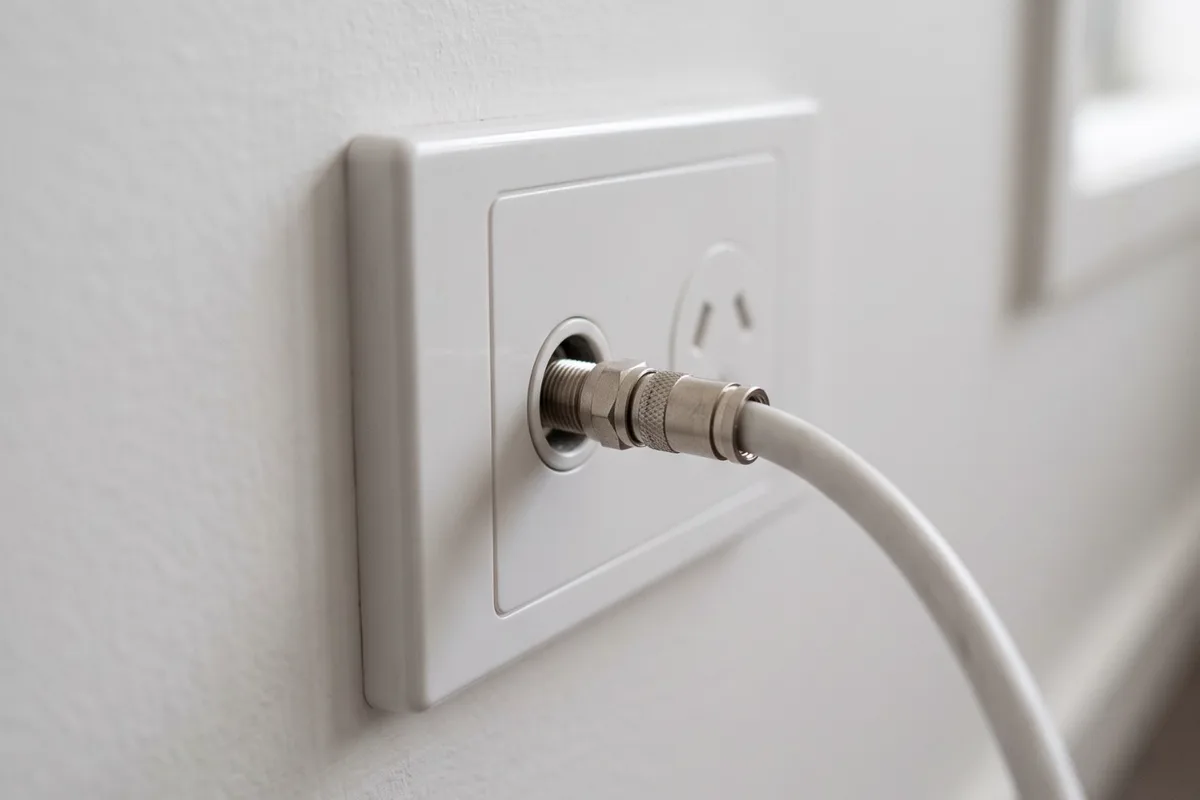
Broadcast TV comes from the roof antenna through coaxial cable to a wall plate. A new TV point means running cable from the existing feed or splitter to the new spot. Quad-shield cable and proper compression connectors matter; older push-on connectors and thin cable let interference in, which shows up as pixelation on some channels.
Every extra split weakens the signal at each outlet, so adding a point to a home that already has several may need an amplifier. If every TV in the house already pixelates, the problem is upstream: an antenna knocked out of alignment, a corroded roof connection or a failed amplifier. A new wall plate won't fix that, so check the signal when the point goes in.
If you only stream, you could skip the antenna point. Most households still want one for news, sport and when the internet drops out.
A data point for streaming
Streaming apps work over Wi-Fi, but a data cable gives the TV a steadier connection, with fewer pauses when the household is busy online. A data point behind the screen or at the cabinet, run back to the router or a central network point, is easy to add while the wall is open for the TV point.
If the router or a network switch lives in the cabinet, put the data point there and use short patch leads to the TV, console and set-top box. If the TV is mounted with nothing below it, put the data point behind the screen with the power.
Getting it done in the right order
The usual order: confirm the TV, bracket and height; add the recessed power, TV point, data point and conduit; patch and paint if needed; then mount the bracket and screen. Mounting first and cabling afterwards is how leads end up running down the wall in plastic covers.
Adding power points is electrical installation work, so it needs a licensed electrician and comes with a Certificate of Electrical Safety. Energy Safe Victoria lists power points as non-prescribed work, with your copy due within 30 days.
In a new build or renovation, run TV and data cabling to every room you might watch in, with spare conduit to the main TV wall, while the frame is open.
Common questions
Quick answers
- Why do plugs keep falling out of my power point?Plugs drop out when the contacts inside the outlet have lost their grip, or when the outlet itself has come loose from the wall.
- Why is my power point warm?A plug that feels slightly warm after a heater or kettle has run for a while can be normal.
- Can a power point be added to my kitchen island?Usually, yes.
- My power point cover is cracked. Is it safe to use?No.
Sources for this guide
2 sources, with the date each was checked
- 1.Energy Safe Victoria: For electrical installation work performed within your electrical installation including but not limited to lights, power points, air conditioning, hot water service etc. Accessed 30 September 2026.
- 2.Energy Safe Victoria: Whenever a licensed electrician completes any electrical installation work, they must provide a Certificate of Electrical Safety (COES). Accessed 30 September 2026.
Planning advice for homeowners. Installation requirements depend on the property and equipment. Where this guide refers to Victorian safety or rental rules, use the linked official guidance for the current requirements.