
The key points
- Pick the central network spot first. Every cable runs back to it, so it needs power, ventilation and easy access.
- Put data points where devices stay put: desks, TVs, consoles and ceiling spots for Wi-Fi access points.
- Cabled access points beat wireless extenders for whole-house Wi-Fi, especially in double-storey and brick homes.
- The NBN box doesn't have to move. A cable from it to the central spot lets the router sit where the network works best.
- Leave spare capacity. A few extra points and some conduit cost little now and a lot later.
Start with the central network spot
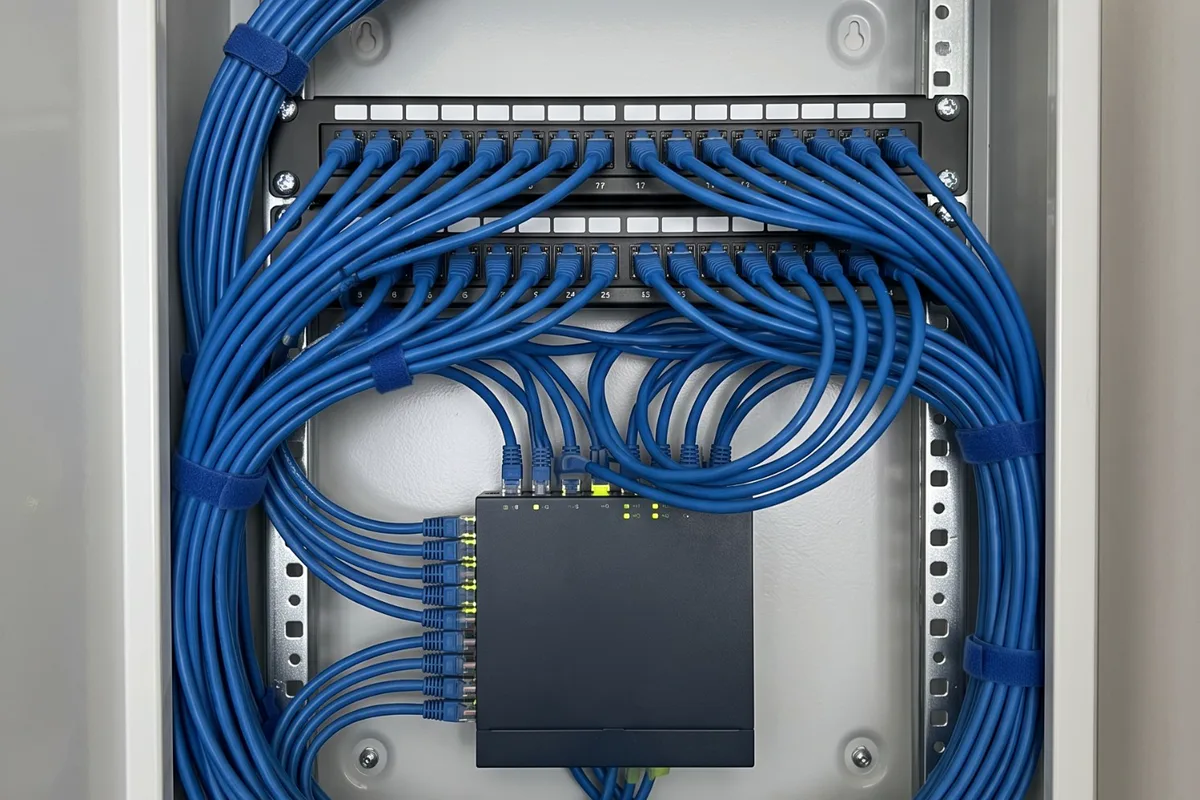
A whole-house network is a star. Every data cable runs from a wall plate back to one central point, where it ends on a patch panel beside a network switch and the router. Choosing that spot well is the most important decision in the plan.
Good spots include a hallway or linen cupboard near the middle of the house, a study, or a laundry cupboard if it's reasonably central. It needs a power point, some ventilation because switches and routers run warm, and easy access for restarts. A small wall-mounted cabinet keeps it tidy and away from small hands.
Avoid places that bake. A west-side garage can get very hot on a summer afternoon, which network gear doesn't enjoy, so somewhere inside the main house is usually better.
- A power point for the router, switch and NBN equipment.
- Ventilation and room for a small cabinet.
- A reasonably central spot inside the main house.
- A route from the NBN box to this spot.
Which rooms get data points
Go room by room and ask what stays put. The home office desk gets one, ideally two. Each TV wall and entertainment cabinet gets one or two, and a gaming setup one. Bedrooms are a judgement call; a point in each is common in new builds, where it costs little with the frame open.
Think about less obvious devices. Smart TVs and streaming boxes, a network printer, a home server or storage drive, a security camera recorder and some solar or battery monitoring gear all work best on a cable. Wired cameras can take their power through the data cable too.
Then add the ceiling spots for Wi-Fi access points, covered next, and a spare in any room likely to change use, such as a spare bedroom that may become an office.
- Home office desk: one or two points.
- Each TV wall and entertainment cabinet.
- Gaming setups and any network printer.
- Ceiling spots for access points.
- Spares in rooms likely to change use.
Wi-Fi access points instead of extenders
Even a fully cabled house relies on Wi-Fi for phones, tablets and laptops. One router in a corner rarely covers a whole home, especially a double-storey house or one with brick walls, foil insulation or a metal roof. Wireless extenders and mesh units help, but every wireless hop costs speed.
Ceiling-mounted access points, each on its own cable back to the central switch, give consistent coverage. Typical positions are a central hallway on each floor and one towards the far living area. Most can take power through the data cable itself, using Power over Ethernet, so no ceiling power point is needed.
If you already own mesh units, cabling them back to the router does a similar job. Most mesh systems support a wired link between units, and it's often the biggest single improvement they can get.
How the NBN connection feeds it
The internet comes in at the NBN equipment, and what can move depends on the connection type. On fibre to the premises, NBN Co owns the connection box inside and the utility box outside, and changes to them are made by NBN Co, usually arranged through your provider. On fibre to the node or curb, the internet travels over the home's copper phone wiring.
The NBN box doesn't need to sit beside the router. One data cable from it to the central network spot lets the router live where the network works best, while NBN Co's equipment stays put. That's usually simpler than arranging a relocation.
On a copper-based connection, the modem works best at the main phone socket with a clean run of cable to it. Old extra sockets and joins on the same line can weaken the signal, so tidy them up while the rest of the cabling goes in.
Cable, terminations and testing
Cat6 handles gigabit speeds comfortably and suits nearly every home. Cat6A is thicker and costs more, but carries faster networks over longer runs, and some people choose it for a new build they plan to stay in. For most households, Cat6 throughout is the sensible default.
Termination matters as much as the cable. Each run should end at a proper wall plate and on the patch panel, be labelled at both ends and be tested. A labelled panel means anyone can find which cable goes where years later.
Data cables need separation from power cables inside walls, and they don't like tight bends, crushing or being stapled flat. It's one reason fixed cabling isn't a DIY job.
New build, renovation or existing home
In a new build or renovation, cables go in while the frame is open, before insulation and plaster. That's the time to run data to every room you might use, plus spare conduit from the central spot to the roof space and the main TV wall. Get it onto the electrical plan alongside power and lighting, and check it at the pre-plaster walkthrough.
In an existing single-storey home, most runs drop down inside the walls from the roof space with little patching. Double-storey homes take more planning to reach the ground floor, through cupboards, wall cavities or the space between floors. Solid masonry, such as the basalt houses found in parts of Williamstown, may need surface conduit in places.
Either way, plan it as one job. Running all the cables together shares the roof and wall access, and the central spot is set up once rather than grown one cable at a time.
Power, surge protection and handover
The central spot, each TV wall and any ceiling device without Power over Ethernet need power. Power points are electrical installation work, so they come with a Certificate of Electrical Safety, and Energy Safe Victoria notes the Wiring Rules call for additional safety switch protection when an existing installation is altered.
A surge power board at the central spot protects the router, switch and NBN equipment, and a switchboard surge diverter covers the whole house. At handover, ask for a simple sheet showing which patch panel port goes to which room, and keep it in the cabinet.
Common questions
Sources for this guide
3 sources, with the date each was checked
- 1.Victorian Heritage Database (Heritage Council Victoria); entry maintained by Hobsons Bay City Council from the Hobsons Bay Heritage Study 2006: Unusual or rare early building styles and types such as the basalt houses and the timber duplex houses with no dividing wall that are characteristic of this part of Williamstown but less common elsewhere in the… Accessed 30 September 2026.
- 2.Energy Safe Victoria: Whenever a licensed electrician completes any electrical installation work, they must provide a Certificate of Electrical Safety (COES). Accessed 30 September 2026.
- 3.Energy Safe Victoria: Clause 2.6.3.2.5 of the Wiring Rules states: Additional protection by RCDs shall be provided in existing electrical installations where alterations or a switchboard replacement is completed. Accessed 30 September 2026.
Planning advice for homeowners. Installation requirements depend on the property and equipment. Where this guide refers to Victorian safety or rental rules, use the linked official guidance for the current requirements.