
Start with what each camera needs to see
The simple answer: plan a camera system by deciding what each camera has to see first, then work back to where it mounts, how it gets power and data, and where the footage is stored. Buying a box of cameras and finding spots for them later is how people end up with footage of a fence and the top of a visitor's head.
Walk the property and list the places people come and go. For most homes that's the front door, the driveway, a side gate, the back door and any garage or shed door. For each one, decide whether you want to see who is there, read a number plate on the driveway or simply know that someone walked past. A face at the door needs a camera close and at a modest height. A wide view of a yard can sit higher and further away.
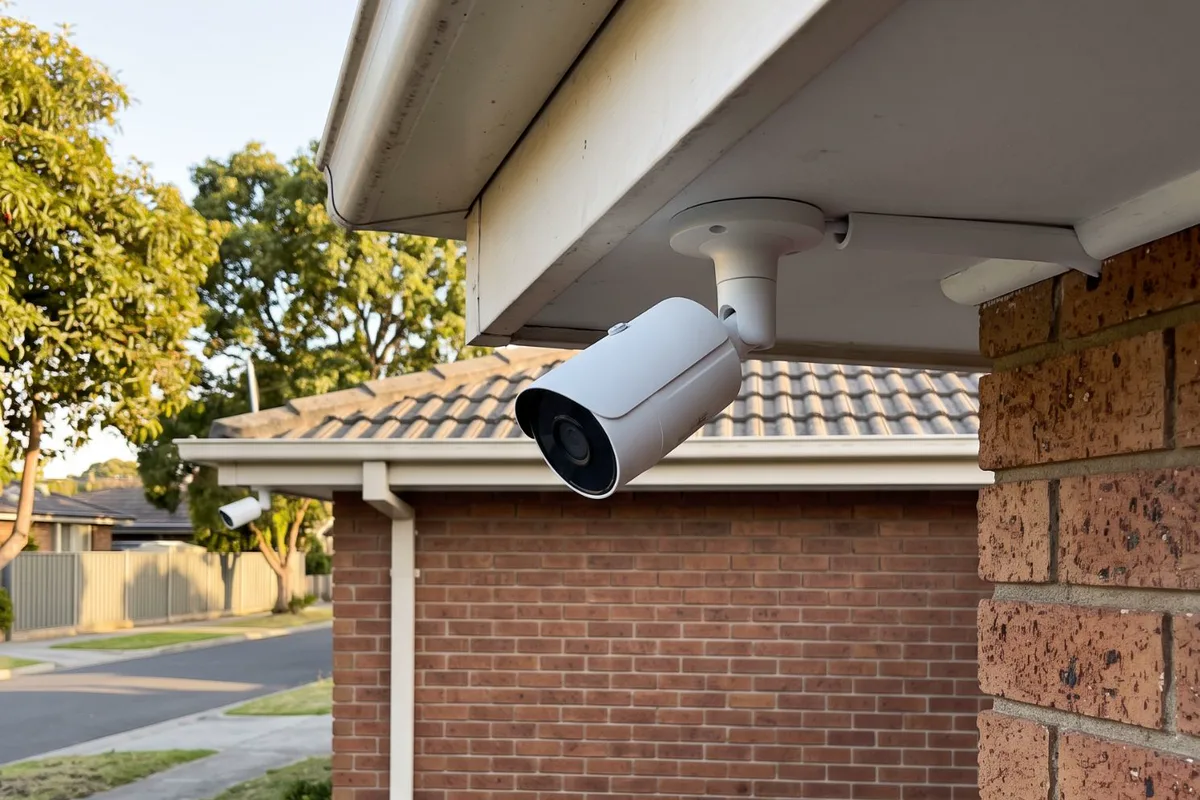
Mount cameras out of easy reach, but not so high that they only see hats and hair. Under the eaves suits many spots, because the gutter shelters the camera from rain and the direct midday sun. Avoid aiming straight into the afternoon sun or at a bright window, which washes out the picture for part of every day.
- Front door and porch
- Driveway and the street edge of the property
- Side gates and side paths
- Back door, alfresco and back yard
- Garage, shed and any outbuilding doors
Wired or wireless cameras
Wired systems usually run one data cable from each camera back to a recorder or a network switch. Most current wired cameras take their power down that same cable, often called power over Ethernet, so there is no separate power point at the camera. One cable per camera is simple to fault-find, and the picture doesn't depend on the Wi-Fi reaching the far corner of the yard.
Wireless cameras send their picture over Wi-Fi, but they still need power. Some run on a rechargeable battery, some add a small solar panel and some plug into a power point. Battery cameras suit a spot where no cable can reach, but they need recharging, and many record short clips rather than everything. Check the Wi-Fi signal where the camera will go before you buy. Brick walls, metal cladding and distance from the router all weaken it.
Plenty of homes end up with a mix: wired cameras at the main entries, where reliability matters most, and a battery camera at a back gate or a shed that is hard to reach.
Where the recorder and network gear live
A wired system records to a network video recorder, a small box with a hard drive, or to a computer or storage device on your home network. Put it somewhere dry and ventilated with a power point, close to the router or connected to it by a data cable. A cupboard, a study or a garage shelf all work. Keep it out of sight from the street, so a burglar can't simply carry the footage away with the television.
Many cameras can also save clips to a cloud service through an app, usually by subscription. Cloud storage keeps a copy off site, while a recorder keeps everything at home without ongoing fees. Some households use both. Whichever you choose, write down where the recorder sits, the app login and which camera is which, so anyone in the household can find footage when they need it.
If the recorder, router and switch share one spot, they can share a protected power point and a tidy shelf, and the data cables to every camera, the doorbell and the television can all start there.
Power: what needs a licensed electrician
Low-voltage data cable that carries power to a camera from a recorder or switch doesn't carry mains power. New power points, mains wiring to a camera, floodlight or recorder location, and any work at the switchboard are a different matter. Energy Safe Victoria says electrical work is not a DIY job, even small jobs like changing power points or light switches.
Outdoor power for cameras and lights needs weatherproof fittings and a sensible cable route, and the circuit has to be protected properly. Energy Safe Victoria notes that the Wiring Rules require additional safety switch protection when an existing installation is altered, so adding outdoor points can bring a safety switch with it.
When the electrical part is finished, a licensed electrician must provide a Certificate of Electrical Safety. Keep it with the camera manuals and the recorder details.
Plan the lighting with the cameras
Most cameras switch to infrared night vision in the dark. It works, but the picture is grey, the range is limited and faces at the edge of the frame turn to smudges. A sensor light or floodlight that comes on when someone approaches gives the camera colour and detail, and on its own it puts many people off.
Aim lights to light the person, not the lens. A floodlight pointing back at a camera, or a bright globe right beside it, causes glare and flare. Infrared light also reflects off nearby walls, eaves and spider webs, which can blind a camera mounted too close to a surface.
Some products combine a camera and a floodlight in one fitting. They suit a driveway or a side path, and because they run on mains power they're installed like any other outdoor light fitting, by a licensed electrician.
Cable routes and the best time to run them
The easiest time to run camera cable is before the plasterboard goes on, during a renovation or extension, or while an electrician or data cabler is already in the roof space. In an existing single-storey home, cable can usually run through the roof and drop down inside the eaves to each camera. Double-storey homes and flat-roofed extensions take more planning.
For a garage, shed or gate camera away from the house, the cable usually runs underground in conduit. Plan that before paving, concrete or a new garden goes in, and put in a spare conduit while the trench is open. A pull cord left inside makes the next cable a simple job.
Run one or two spare data cables to likely future spots while the ceiling is open, label both ends and note them on a simple plan. Cable is cheap compared with coming back later.
Privacy and the neighbours
Point cameras at your own property. A camera that looks over the side fence into a neighbour's yard or windows is a quick way to start an argument. Many cameras let you black out part of the picture, called privacy masking, which is useful where a view of your driveway also takes in the house next door.
Tell the people who live with you where the cameras are and what they record, especially inside the house. If you rent out part of the property, or have a granny flat, think about who else the cameras will see before you choose the spots.
Common questions
Services in this guide
Quick answers
- Why does my sensor light stay on or keep turning on all night?A sensor light that stays on or keeps triggering all night is usually seeing something: swaying plants, pets, possums, insects drawn to the light, or warm air from an…
- Why is there water inside my outdoor light?Water gets into outdoor lights through perished seals, cracked lenses, unsealed cable entries or a fitting that isn't rated for where it's mounted.
- Why do my lights turn on or off by themselves?Lights that switch on or off by themselves are usually following instructions you've forgotten: a smart switch schedule, a routine in an app, a motion or daylight…
From the blog
- Wired or battery video doorbell: which suits your home?Wired doorbells never need charging and suit most homes you own. Battery models suit renters and hard-to-cable walls. How to choose, and what a wired install involves.
- Is data cabling still worth it in a new build?Good mesh Wi-Fi is easy to buy, but a few data cables in a new build still pay off for TVs, the home office and ceiling access points. Cabling every room usually doesn't.
- Going away? What to switch off and what to leave onA pre-holiday checklist for fridges, hot water, heaters, chargers and security lighting, plus why testing your safety switches before you leave is worth five minutes.
- Builder-grade electrical in a new estate home: what owners upgrade firstExtra points, outdoor power, better lighting, data and a garage ready for an EV: the upgrades owners in Melbourne's western estates make after handover.
We work across Melbourne's west
Family-run and based in Altona Meadows. Pick your suburb for local notes and the jobs we see most there.
- Altona Meadows
- Altona
- Point Cook
- Seabrook
- Laverton
- Laverton North
- Werribee
- Werribee South
- Hoppers Crossing
- Wyndham Vale
- Williamstown
- Newport
- Spotswood
- Yarraville
- Kingsville
- Port Melbourne
- Derrimut
- Deer Park
- Ravenhall
- Maribyrnong
- West Melbourne
- Flemington
- Kensington
- Tullamarine
Sources for this guide
3 sources, with the date each was checked
- 1.Energy Safe Victoria: Electrical work isn’t a DIY job, even for small jobs such as changing power points or light switches. Accessed 30 September 2026.
- 2.Energy Safe Victoria: Clause 2.6.3.2.5 of the Wiring Rules states: Additional protection by RCDs shall be provided in existing electrical installations where alterations or a switchboard replacement is completed. Accessed 30 September 2026.
- 3.Energy Safe Victoria: Whenever a licensed electrician completes any electrical installation work, they must provide a Certificate of Electrical Safety (COES). Accessed 30 September 2026.
Planning advice for homeowners. Installation requirements depend on the property and equipment. Where this guide refers to Victorian safety or rental rules, use the linked official guidance for the current requirements.
Talk it through with us
Tell us what is happening at your place. Free, no-obligation quotes, and you get the price before we start.
Ask for a quote 03 9116 9050